MimirQ Full Operation Guide
This guide follows the actual user journey from deployment and first login through dataset creation, ingestion, parsing, indexing, retrieval, cited answers, evaluation, and production operations.
1. Start and sign in
git clone --depth 1 --single-branch https://github.com/skygazer42/MimirQ.git
cd MimirQ
make init
# Edit .env and set at least LLM_API_KEY for real model calls
make up-web
make ps
make api-ping
Open http://localhost:3000. The default stack contains eight containers: Web, API, worker, PostgreSQL, Milvus, Etcd, MinIO, and Redis.
Use the configured INITIAL_ADMIN_* account, or register the first owner only when the database is genuinely empty. If first-time setup is closed, an owner or tenant already exists; do not delete production volumes to bypass it. See Quick Start.
For source development, run make setup-host, then run make backend and make web in separate terminals. See Deployment for Windows, model networking, and worker options.
2. Complete the first knowledge-base loop
Create a dataset
- Open
/datasets. - Select New dataset.
- Enter a name and description.
- Choose its access scope and save.
A dataset is the boundary for permissions, indexes, retrieval scope, and evaluation. Separate content with different confidentiality or embedding runtimes.
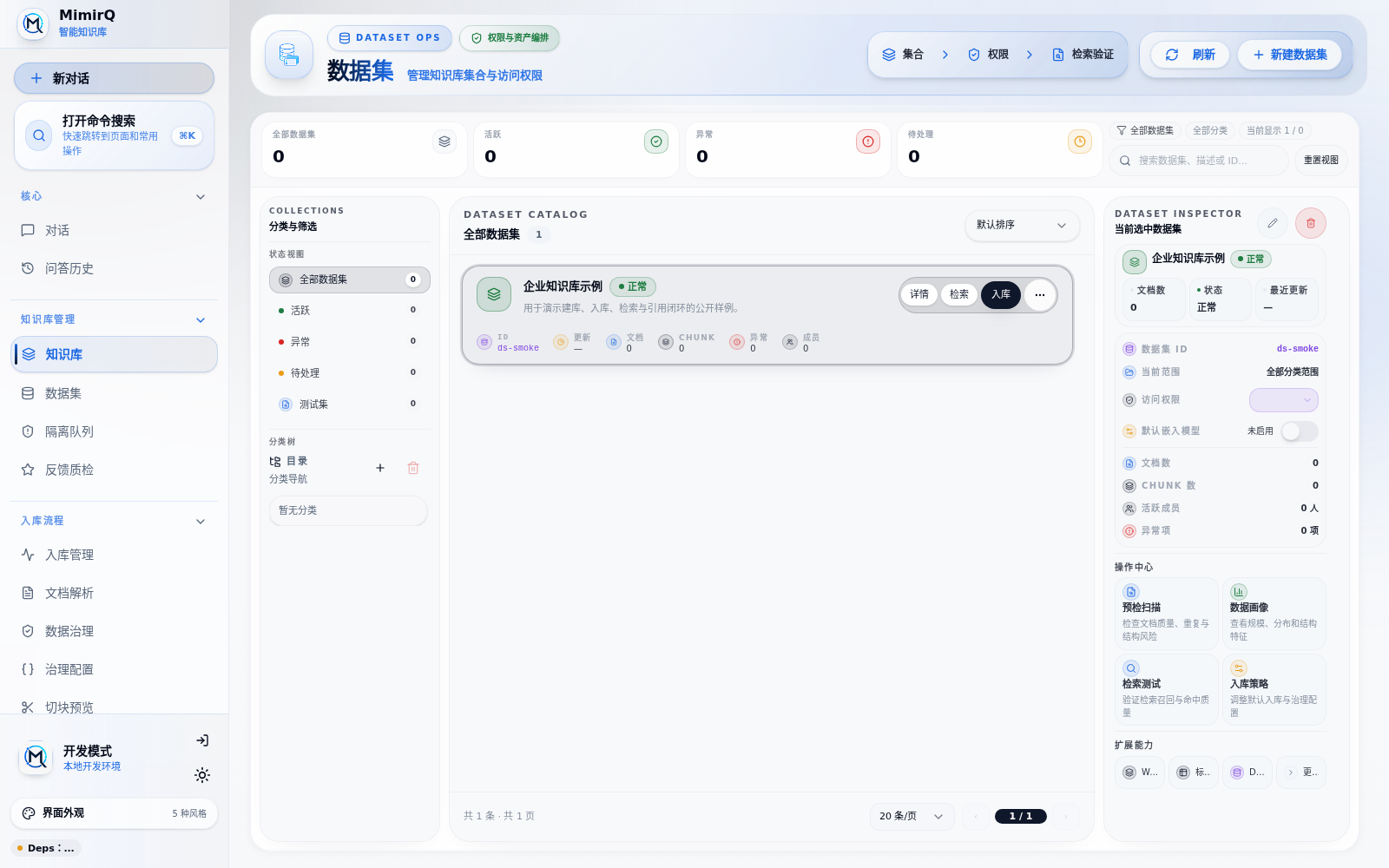
Confirm the access scope, document count, and chunk count before ingestion.
Upload and index
- Open
/knowledge/ingestion?datasetId=<dataset_id>. - Set the execution stage to parsing plus indexing.
- Upload a small file containing a unique test phrase.
- Start parsing and indexing.
- Wait for
pendingandprocessingto becomecompleted.
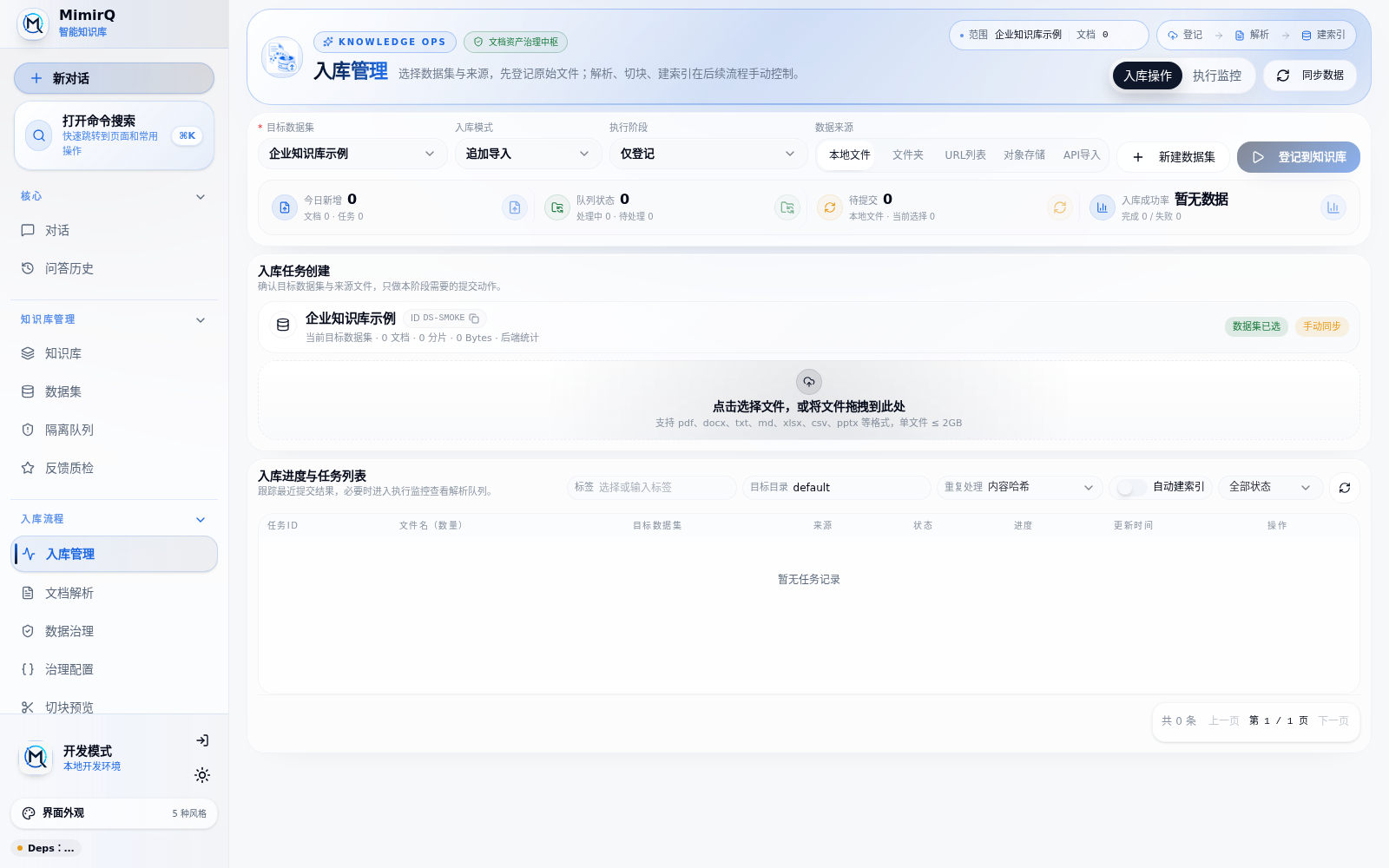
The ingestion workbench keeps the dataset, source, execution stage, progress, and failures in one place.
Inspect failed tasks instead of repeatedly uploading the file. Review quarantined documents under /knowledge/quarantine. Use Document troubleshooting for tasks that do not finish.
Inspect parsing and chunks
| Entry | What to inspect |
|---|---|
/parsing | Parser, task, and parsed output |
/knowledge | Documents, status, metadata, and chunks |
/chunk-preview | Heading, paragraph, table, and parent-child boundaries |
Chunk Preview is an experiment surface; ingest production assets through the ingestion page. DeepDoc is the default parser. Start Marker, MinerU, PaddleOCR-VL, or another optional parser only when the document workload requires it.
Run a retrieval test
- Open
/knowledgeand select the dataset. - Switch to the retrieval-test tab.
- Query the unique phrase or a known-answer question.
- Inspect chunks, sources, scores, channels, and trace data.
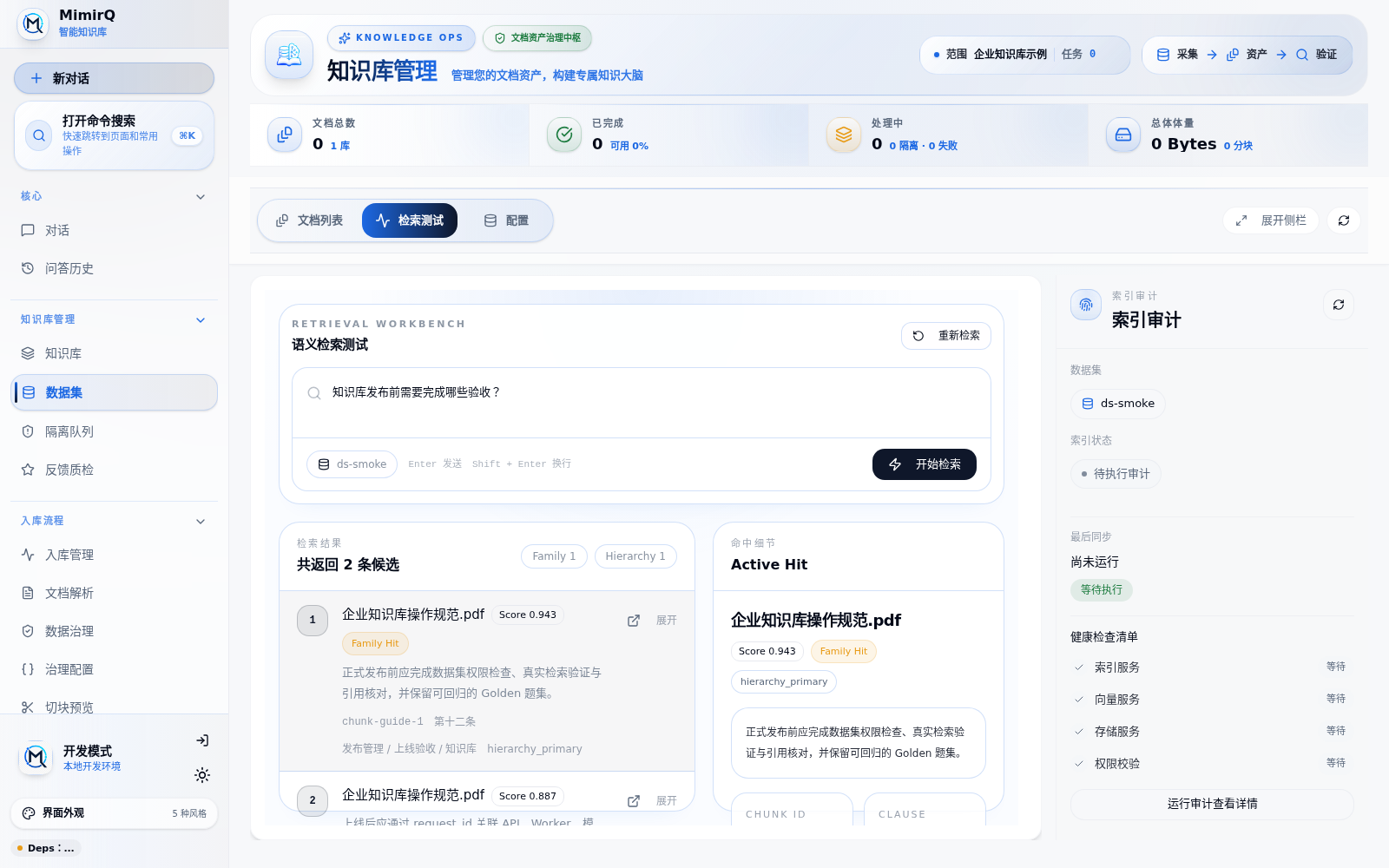
The ranked candidates and active-hit detail should expose where evidence came from and how it was scored.
If nothing is returned, check document completion, chunks, index state, dataset scope, and ACL before changing prompts.
Run a cited chat
- Return to
/. - Use 选择数据集 (Select dataset) to choose the dataset.
- Ask a question that only the test file can answer.
- Expand 来源与证据 (Sources and evidence).
- Confirm that the citation points to the correct file and supporting text.
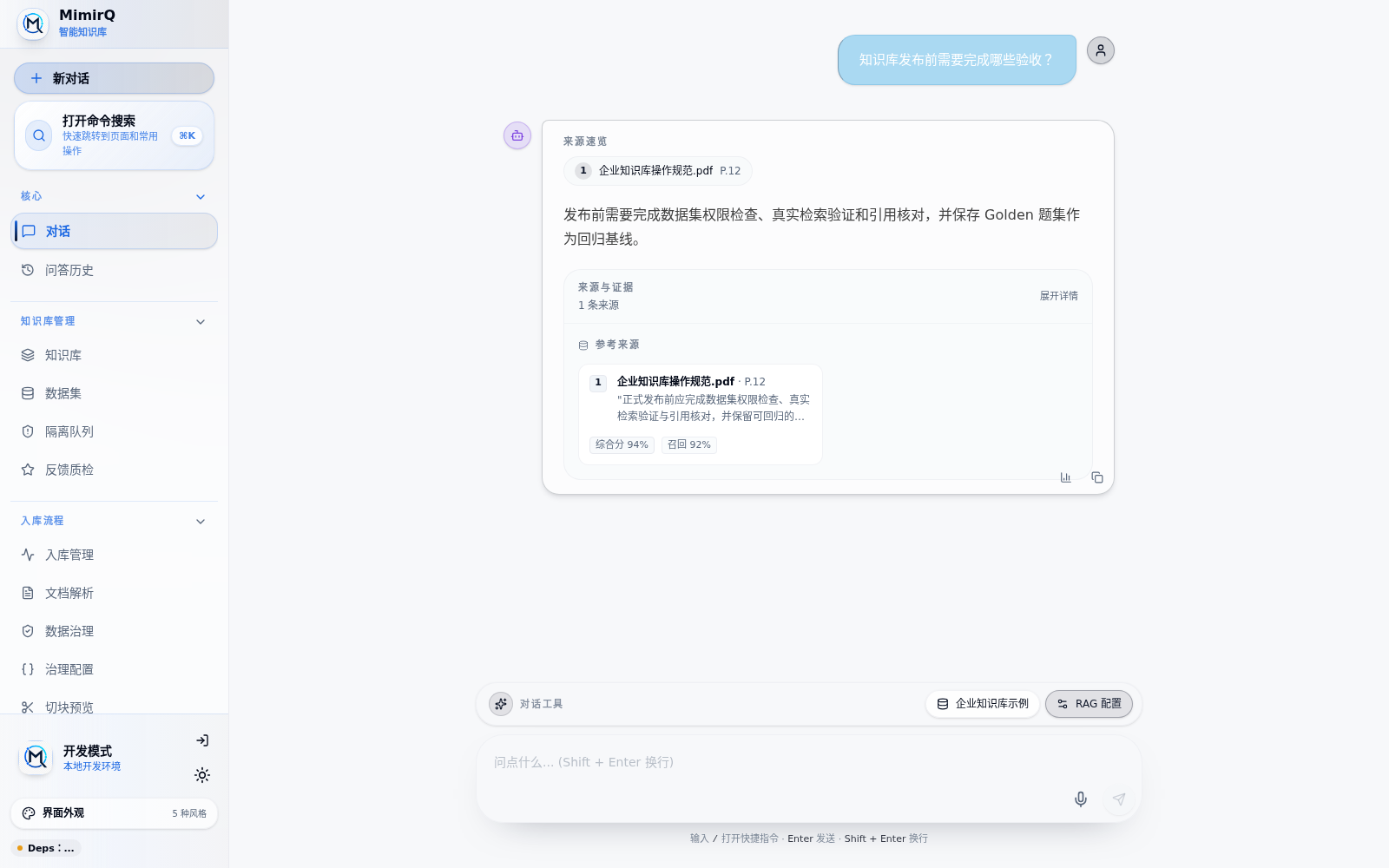
A generated answer completes the loop only when its file, page, and supporting evidence remain inspectable.
The loop passes only when the document is completed, retrieval finds the expected evidence, the answer follows that evidence, and the citation is inspectable. API users can follow Upload and chat and Knowledge-base QA.
3. Operate knowledge assets
| Work | Entry | Rule |
|---|---|---|
| Dataset and permissions | /datasets | Split by department, sensitivity, or embedding runtime |
| Documents and batch actions | /knowledge | Inspect the failure before retrying |
| Upload and connectors | /knowledge/ingestion | Prefer connectors for recurring synchronization |
| Parsing | /parsing | Reparse after parser changes |
| Governance | /data-governance | Preview rules before applying them |
| Governance profiles | /data-governance/profiles | Version reusable cleaning policies |
| Quarantine | /knowledge/quarantine | Approve or reject with an audit trail |
| Chunk experiments | /chunk-preview | Compare strategies on representative samples |
Changing the embedding model, provider, or vector dimension requires rebuilding affected indexes. Never mix incompatible embedding spaces in one index.
4. Retrieval, generation, and Dify
MimirQ evaluates evidence retrieval separately from answer generation:
- Retrieval testing validates recall and reranking.
- Chat validates whether the LLM follows the evidence.
- If evidence is correct but the answer is wrong, inspect prompts, context trimming, and the LLM instead of adding question-specific retrieval rules.
Dify can consume MimirQ through two paths:
- External Knowledge API:
POST /api/v1/integrations/dify/retrieval. - Workflow HTTP node: Dify sends the query, dataset scope, and filters; MimirQ returns evidence and trace data.
Dify owns orchestration and generation, while MimirQ keeps governance, retrieval, reranking, permission filtering, and evidence. Use OpenAPI for the current request schema.
5. Evaluation and feedback
Open /evaluations to create or generate candidate questions, review them into a Golden set, record a baseline, and rerun it after parsing, chunking, embedding, reranking, or prompt changes. Track completion, answer quality, evidence coverage, latency, and failure causes.
Use /knowledge/feedback for production hard cases, /knowledge/evidence to inspect evidence, and /reports for dataset and RAG audit reports. Promote confirmed hard cases into the Golden set.
Knowledge graph features are available under /datasets/{dataset_id}/kg and /graph when enabled. KG is an optional retrieval channel, not a replacement for the base retrieval path.
6. Permissions and administration
| Entry | Purpose |
|---|---|
/settings/rbac | Members, roles, and permissions |
/settings/groups | Groups and membership |
/settings | Tenant and feature configuration |
/audit | Audit events |
/usage | Usage records |
Dataset access modes are all_team_members, only_me, and partial_members; document ACLs can further restrict results. Production must use JWT, OIDC, or SAML rather than an exposed debug-header mode.
7. Start, stop, back up, and upgrade
| Goal | Command | Data | Images |
|---|---|---|---|
| Status | make ps | Keep | Keep |
| Logs | make logs | Keep | Keep |
| Stop | make down | Keep | Keep |
| Empty-data rebuild | make docker-reset | Delete | Keep |
| Full local rebuild | make docker-purge | Delete | Delete |
The last two commands are irreversible. Complete a backup and restore drill first. MimirQ uses the isolated Compose project name mimirq; see Deployment for PowerShell, Dify coexistence, and legacy recovery. Do not substitute a global docker system prune for project-scoped cleanup.
8. Troubleshooting order
| Symptom | Check first |
|---|---|
| UI unavailable | Docker, make ps, Web/API logs |
| Owner cannot register | Existing tenant/owner and consistent INITIAL_ADMIN_* values |
| Document is stuck | Worker, Redis, parser, and failure details |
| Completed but no retrieval | Chunks, index, dataset scope, ACL, embedding runtime |
| Correct evidence, wrong answer | Prompt, context trimming, LLM, and citations |
| 403 | Tenant, role, dataset permission, and document ACL |
| High latency | Trace stages, model services, Milvus, and admission control |
| Cleanup mentions Dify | Stop immediately, do not prune, follow deployment recovery steps |
Keep the returned request_id and use it to correlate API, worker, model-service, and proxy logs. See Health checks and Observability.
9. Production checklist
- Real LLM, embedding, and reranker calls work; readiness alone is insufficient.
- A representative document passes parsing, chunking, indexing, retrieval, cited chat, and evaluation.
- Authentication, RBAC, dataset permissions, and document ACLs are verified.
- Golden cases and release thresholds are stored.
- API, worker, and data dependencies have monitoring and alerts.
- A backup was restored and retrieval was validated afterward.
- Upgrade, migration, rollback, and concurrency were tested in staging.
The complete offline repository manual is MimirQ Full Operation Guide.